Audio Blend Workshop
Reviews
Audio Blend Workshop succeeds by removing barriers to music creation. The icon-based system lets anyone build layered compositions in seconds. The visual theme is pleasant and unobtrusive, keeping the focus on sound. While it lacks advanced features like saving or exporting, its strength lies in pure, low-pressure experimentation. It is an excellent choice for casual creative play or as a gentle introduction to audio layering concepts.
About This Game
Core Concept: Sound Stacking
Audio Blend Workshop centers on the idea of stacking audio elements to form a cohesive musical piece. Each on-screen icon represents a specific sound category, such as a steady beat or a melodic line. By activating these icons in a designated workspace, users combine their sounds in real time. The interface is minimal, focusing attention on the auditory result rather than complex controls. This design encourages experimentation, letting users add or remove elements to hear how each part contributes to the whole arrangement.
Getting Started: First Steps
To begin, open the game in any modern web browser. The main screen presents a grid of icons, each with a unique visual style that hints at its sound. Clicking an icon places it into the active mixing area, immediately adding its audio to the current mix. Users can continue adding more icons to build complexity. Removing an icon silences its sound, allowing for quick adjustments. The process is intuitive, requiring no tutorials or guides. Within seconds, anyone can produce a layered audio composition.
Visual Design and Atmosphere
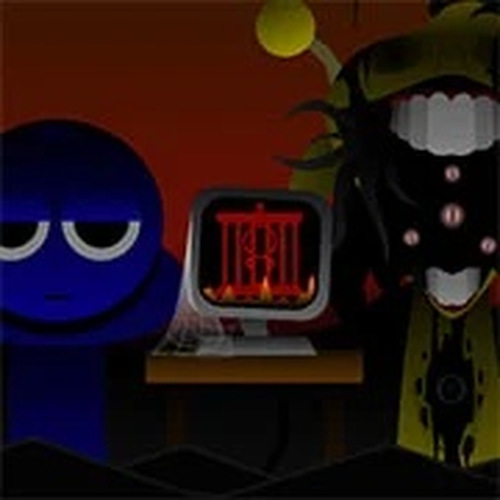
The visual theme of Audio Blend Workshop sets it apart from other music tools. Icons are designed with distinct colors and shapes, making them easy to identify at a glance. The workspace is clean and uncluttered, with a focus on the active mixing area. Background animations and subtle visual cues respond to sound changes, creating a cohesive atmosphere. This design choice helps users feel connected to the music they are building, turning the act of mixing into a visually engaging experience.
Creative Freedom and Exploration
There is no single goal or score in Audio Blend Workshop. The primary activity is freeform exploration of sound combinations. Users can start with a basic rhythm and layer melodies or effects on top. The tool supports both dense, complex arrangements and sparse, minimalist mixes. This open-ended approach makes it suitable for relaxation, casual creativity, or even as a learning aid for understanding how different sounds interact. The lack of pressure to achieve a specific outcome allows for genuine experimentation.
Technical Accessibility
Audio Blend Workshop runs entirely within a web browser, eliminating the need for software installation. It works on desktop computers, tablets, and smartphones, provided they have a stable internet connection. The tool is free to use, with no hidden costs or subscription fees. Audio playback is immediate, with no loading delays between actions. This technical simplicity ensures that the focus remains on the creative process, not on troubleshooting or setup.
Compatibility
System Requirements




































Comments
0 comments