Advertisement
Creative Wood Shaping Studio

Creative Wood Shaping Studio

Publisher Assassin Core Creations
Release Date
Update Time 2026-07-21
Tags Solo Player , Individual Experience
Rating 4.0
Platform Html5

Reviews

Creative Wood Shaping Studio succeeds in offering a genuinely calming creative outlet. The carving tools feel distinct and responsive, and the color options add a nice finishing touch. The lack of pressure or competition makes it ideal for short breaks or longer sessions. It is a well-crafted experience for anyone seeking a peaceful, screen-based hobby.

About This Game

Core Crafting Loop

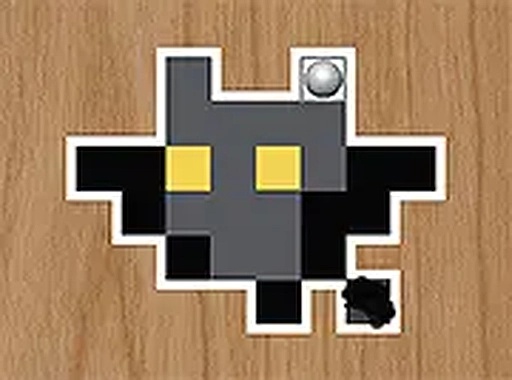
At its heart, Creative Wood Shaping Studio revolves around a straightforward but satisfying process. You begin with a plain block of material and use a selection of virtual instruments to gradually remove small pieces. Each tool produces a different effect on the surface, allowing for varied textures and shapes. The feedback is immediate, making each action feel deliberate and rewarding. This core activity encourages patience and precision, as small adjustments can lead to significant changes in the final form.

Tool Variety and Control

The game provides several distinct implements, each designed for a specific type of carving action. Some tools are better for rough shaping, while others excel at fine detail work. Switching between them is seamless, and the mouse-based controls are responsive. This setup gives you the freedom to experiment with different approaches, whether you want to create smooth curves or intricate patterns. The interface remains clean and uncluttered, so you can focus entirely on your creation.

Color and Finish Options

Once the carving phase is complete, you can move on to the finishing stage. Here, you choose from a palette of colors to apply to your work. The game also includes several finish types that can alter the appearance, such as matte or glossy effects. Layering these options can add depth and character to the piece. This step transforms a raw carved object into a polished artwork, giving you full control over the final look.

Atmosphere and Pace

The entire experience is designed to be calming. Background music plays softly, and there are no timers or scores to create urgency. You can pause at any moment and return later without losing progress. This makes the game suitable for short sessions or longer periods of focused crafting. The lack of external pressure allows you to enjoy the process itself, rather than worrying about the outcome.

Beginner-Friendly Design

New players will find the learning curve gentle. The controls are explained through simple on-screen prompts, and the tools are easy to understand. There is no complex menu system to navigate. This accessibility means that people of different ages and skill levels can pick it up quickly. The game does not require prior experience with crafting or digital art, making it an inviting option for anyone curious about creative hobbies.

Compatibility

✅ This game supports:
- Desktop browsers (Chrome, Edge, Safari)
- Mobile browsers (Chrome on Android, Safari on iOS)
❌ Does NOT support: - Internet Explorer - Very old browser versions
👉 Try refreshing or updating your browser

System Requirements

OS Windows 7/8/10 64-bit
CPU Core i3 3.3 GHz
Memory 4GB RAM
GPU Intel HD 4000
CPU (Recommended) Core i5 3.5 GHz
Memory (Recommended) 8GB RAM
OS Mac OSX Mojave (10.14.6+)
CPU Core i3 3.3 GHz
Memory 4GB RAM
GPU Intel Iris Pro 5200
CPU (Recommended) Core i5 3.5 GHz
Memory (Recommended) 8GB RAM

Follow Us

Faq

Can I save my progress in Creative Wood Shaping Studio?
Yes, the game allows you to save your current project at any point. This means you can take a break and come back later to continue shaping and coloring your creation without losing any work.
Is Creative Wood Shaping Studio available on mobile devices?
The game is primarily designed for desktop browsers with mouse input. While it may work on some tablets with a touchscreen, the optimal experience is achieved using a computer with a mouse for precise control.
How many different carving tools are included in the game?
The game offers a selection of carving tools, each with a unique effect on the wood surface. The exact number may vary, but there are enough options to allow for both rough shaping and detailed work.
Does the game include any tutorials or guides for beginners?
Creative Wood Shaping Studio provides simple on-screen instructions to help new players understand how to use each tool and apply colors. These guides are clear and easy to follow, making the game accessible to everyone.
Can I share my finished creations with others?
The game focuses on the personal crafting experience and does not include a built-in sharing feature. However, you can take screenshots of your work and share them on social media or with friends outside the game.
Is there any time limit or scoring system in the game?
No, Creative Wood Shaping Studio is designed to be a relaxing experience with no timers, scores, or deadlines. You can work at your own pace and spend as much time as you like on each piece.

Comments
0 comments

U
User
Loading comments...

Relevant Games