Classic Pong Arcade Sports

Classic Pong Arcade Sports

Publisher Demolition Shift Studio
Release Date 2025-07-29
Update Time 2026-07-03
Tags Action , Arcade , Classic , Addictive
Rating 5.0
Platform html5
Advertisement

Reviews

Classic Pong Arcade Sports perfectly captures the essence of the original table tennis arcade game. The minimalist design and responsive controls make it easy to play yet challenging to master. The single-player AI provides a good practice partner, while local two-player mode offers competitive fun. The retro visuals are charming and the gameplay is addictive without being overwhelming. A great choice for quick gaming sessions.

About This Game

Game Introduction

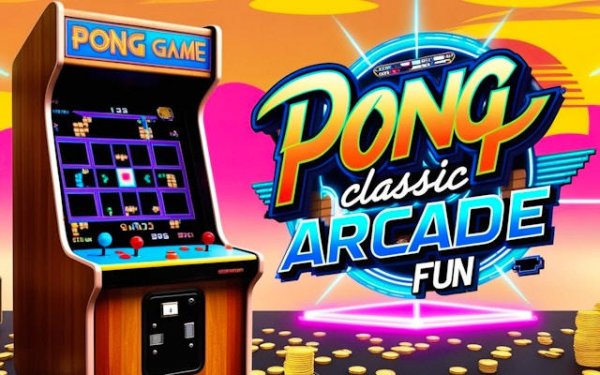
Classic Pong Arcade Sports brings back the timeless simplicity of the original table tennis arcade game that defined a generation. In this minimalist sports simulation, two paddles and a bouncing ball create a pure test of reflexes and strategy. The core objective is to outscore your opponent by hitting the ball past their paddle. With its retro-inspired visuals and straightforward gameplay, this title captures the essence of early arcade entertainment. It is designed for quick, engaging sessions that appeal to both nostalgic players and newcomers curious about gaming history. The game focuses on competitive one-on-one matches, where each rally builds tension and requires quick thinking. The simplicity of the design makes it accessible to players of all ages, while the subtle nuances of ball physics and paddle control offer depth for those seeking to master the game. Whether you are revisiting a childhood favorite or discovering this classic for the first time, Classic Pong Arcade Sports provides a pure, focused gaming experience that has stood the test of time.

How to Play

Players control paddles on opposite sides of the screen, moving them vertically to intercept and return a ball. The ball bounces off the top and bottom walls, adding unpredictability to each rally. Each successful return sends the ball toward the opponent, who must then react quickly. Points are scored when the opponent fails to return the ball. Controls are typically keyboard-based, with one player using keys like W and S for the left paddle and another using the Up and Down Arrow keys for the right paddle. Single-player mode pits you against an AI opponent, while two-player mode allows local head-to-head competition. The game emphasizes timing and positioning over complex button combinations, making it easy to pick up and play within seconds. Players must anticipate the ball's trajectory and adjust their paddle position accordingly, creating a satisfying loop of action and reaction.

Game Features

This game offers classic arcade-style gameplay with a focus on competitive one-on-one matches. Features include a single-player mode with adjustable AI difficulty for solo practice and a two-player local mode for challenging a friend. The visuals embrace a retro aesthetic, reminiscent of the original 1970s arcade cabinets. Performance is optimized for modern web browsers, ensuring smooth and responsive play. Controls are simple and intuitive, making it easy for anyone to pick up and play within seconds. The game may include options to customize paddle speed or ball speed to suit different skill levels. Its minimalist design ensures that the focus remains on the core gameplay, without distracting elements. The game is suitable for quick sessions during a break or longer play periods for those looking to improve their skills.

Tips for Success

To improve your game, focus on smooth and deliberate paddle movements rather than frantic reactions. Anticipate the ball's trajectory by watching its bounce angle off the walls and paddles. Aim your returns toward the corners of the opponent's side to force difficult saves. Practice regularly to build muscle memory and sharpen your reflexes. In single-player mode, gradually increase the AI difficulty to challenge yourself and develop better strategies. Staying calm and patient during rallies often leads to more consistent performance.

Compatibility

This H5 game runs smoothly on:
• Desktop computers (Windows / Mac) • Mobile phones (iPhone / Android)
• Tablets (iPad / Android)
🌐 Best experienced with Chrome, Safari, or Edge

System Requirements
OS Windows 7/8/10 64-bit
CPU Core i3 3.3 GHz
Memory 4GB RAM
GPU Intel HD 4000
CPU (Recommended) Core i5 3.5 GHz
Memory (Recommended) 8GB RAM
OS Mac OSX Mojave (10.14.6+)
CPU Core i3 3.3 GHz
Memory 4GB RAM
GPU Intel Iris Pro 5200
CPU (Recommended) Core i5 3.5 GHz
Memory (Recommended) 8GB RAM

Follow Us

Faq

Can I play Classic Pong Arcade Sports on my mobile phone?
The game is optimized for modern web browsers, so it may work on mobile devices if the browser supports keyboard input or touch controls. However, the primary design is for desktop or laptop use with a keyboard. Check the game page for specific mobile compatibility details.

Is there a way to change the color of the paddles or background?
The game focuses on a retro aesthetic, so visual customization options are not a core feature. Some versions of this type of game may offer limited color settings, but Classic Pong Arcade Sports prioritizes the classic look. Check the game settings menu for any available options.
Does the game have sound effects or music?
Classic Pong Arcade Sports typically includes simple sound effects for ball hits and scoring to enhance the arcade experience. Background music may or may not be present, depending on the specific version. Look for audio settings within the game to adjust or mute sounds.
How do I pause the game during a match?
Most browser-based games of this type allow pausing by pressing the Escape key or a designated pause button on the screen. If the game does not have a pause feature, you may need to wait until the current point ends. Check the game's control instructions for details.
Can I play against a friend online?
Classic Pong Arcade Sports is designed for local two-player mode, where both players share the same keyboard. Online multiplayer is not implied by the game's description. For online play, you would need to look for a version that supports network connectivity.
What happens if the ball hits the corner of the paddle?
The ball's bounce angle depends on where it hits the paddle. Hitting the ball with the center of the paddle usually sends it straight back, while hitting near the edges can change the angle, adding variety to rallies. This mechanic is part of the game's depth and requires practice to master.

Relevant Games