
Fruit Jigsaw Puzzle Game
Reviews
Fruit Jigsaw Puzzle Game keeps its scope narrow and executes it cleanly. Six fruit illustrations and three complexity modes provide enough variety for short sessions without overwhelming anyone. The drag-and-drop controls work with mouse or touch, and the absence of timers or penalties makes it genuinely relaxing rather than stressful. It is best suited to casual players, families, and anyone who wants a gentle cognitive warm-up. The main limitation is inherent to the format: once you have assembled all six images, there is little reason to return unless you want to try harder modes.
About This Game
What You Actually Do
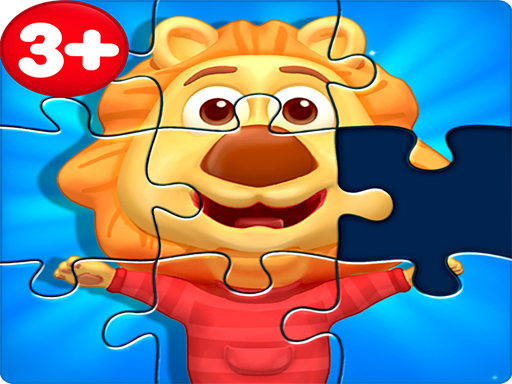
Fruit Jigsaw Puzzle Game hands you a set of scrambled pieces and a board. Your job is to drag each piece onto its correct spot until the fruit illustration is whole. There is no timer, no move limit, and no penalty for placing a piece incorrectly. That design choice changes how the game feels: instead of racing, you scan shapes and colors, test a placement, and adjust. The only feedback is visual—the piece either locks into the right position or stays where you dropped it. Six different fruit images are available, each with its own layout and color palette, so the matching challenge shifts with every picture you choose.
Choosing a Mode and Picture
Before you start dragging, the main menu asks for two decisions. First, you select one of three modes. These modes adjust the complexity of the puzzle, which in practice means the number and shape of the pieces you will handle. Second, you pick one of the six fruit images. The combination matters: a busier fruit illustration in a harder mode produces a denser field of pieces, while a simpler image in an easier mode keeps the assembly manageable. Because the modes change piece count and shape rather than adding rules, the core loop stays the same across all settings. You can move between modes and images freely, so there is no need to commit to one difficulty for the whole session.
Controls and Accessibility
The game uses drag-and-drop input. On a computer, you click a piece and move it with the mouse; on a touchscreen, you tap and drag with a finger. Both methods are supported, and the interface is built so that first-time players can begin without instructions. There is nothing to download and no registration step—the game runs in a browser. That low barrier is deliberate. It means a parent can hand a tablet to a child, or an adult can open the page during a break, and the puzzle is immediately playable. The absence of timers or penalties reinforces the same idea: the game is designed for calm, self-paced assembly rather than pressure.
How to Approach a Puzzle
Edge pieces are the most reliable starting point because they form the border and give you a frame to build inward. After the border is set, grouping pieces by color or pattern narrows the search. Fruit illustrations tend to have distinct regions—skin, flesh, leaves, highlights—so sorting by those visual zones speeds up matching. If a section stalls, stepping away briefly and returning often makes the next placement obvious. None of this is required, but it is the natural progression the game supports: border first, then color groups, then the remaining interior pieces.
Editorial Notes
✅ Compatibility & Testing
System Requirements






























Comments
0 comments